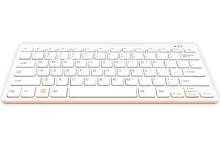
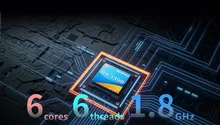
Orange Pi 800

Orange Pi 800

Device notes

Best for

Desktop retro rigs and shared setups that benefit from a built-in keyboard.

Notes

  • Use the integrated keyboard for quick maintenance tasks.
  • HDMI output makes it easy to plug into a monitor or TV.

Known issues

  • Storage speed depends on the microSD card.
  • USB peripherals can draw more power than expected.

Installation

  1. Download. Get the latest Orange Pi 800 image from the downloads page or the wiki.
  2. Flash. Write the image to an SD card or SSD using balenaEtcher, Raspberry Pi Imager, or dd.
  3. Boot. Insert the media, power on. REG Linux expands the filesystem on first boot. Pair your controllers when prompted.
  4. Rescue. If something goes wrong, reboot into rescue mode — your games are always safe on a separate partition.
Browse all devices Compatibility matrix