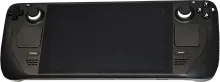
Steam Deck

Steam Deck

Device notes

Best for

Handheld sessions at home or on the go, plus docked play when you want a living-room console feel.

Notes

  • Start with the built-in controls profile, then add external pads for docked sessions.
  • Use integer scaling where possible to keep classic titles crisp on the 1280x800 panel.

Known issues

  • Higher performance presets can drain the battery quickly.
  • Fan noise depends on workload and system profiles.

Installation

  1. Download. Get the latest Steam Deck image from the downloads page or the wiki.
  2. Flash. Write the image to an SD card or SSD using balenaEtcher, Raspberry Pi Imager, or dd.
  3. Boot. Insert the media, power on. REG Linux expands the filesystem on first boot. Pair your controllers when prompted.
  4. Rescue. If something goes wrong, reboot into rescue mode — your games are always safe on a separate partition.
Browse all devices Compatibility matrix